Notedrift Is Now on Google Play: Find Your Piano Mistakes After You Play
Notedrift listens to your piano practice through a MIDI keyboard or the microphone, compares it with the score, and shows wrong notes, timing drift and what to practise next.
On this page
Most piano apps tell you what to press while you play. Notedrift does the opposite: it lets you play, then tells you how it went. You pick a piece, play it on a MIDI keyboard or near your phone's microphone, and Notedrift lines your take up with the score. You see which notes were wrong or missing, which bars rushed or dragged, and which passage to practise next.
Notedrift is our first app for piano players, and it is now available on Google Play for Android phones and tablets.
How it works
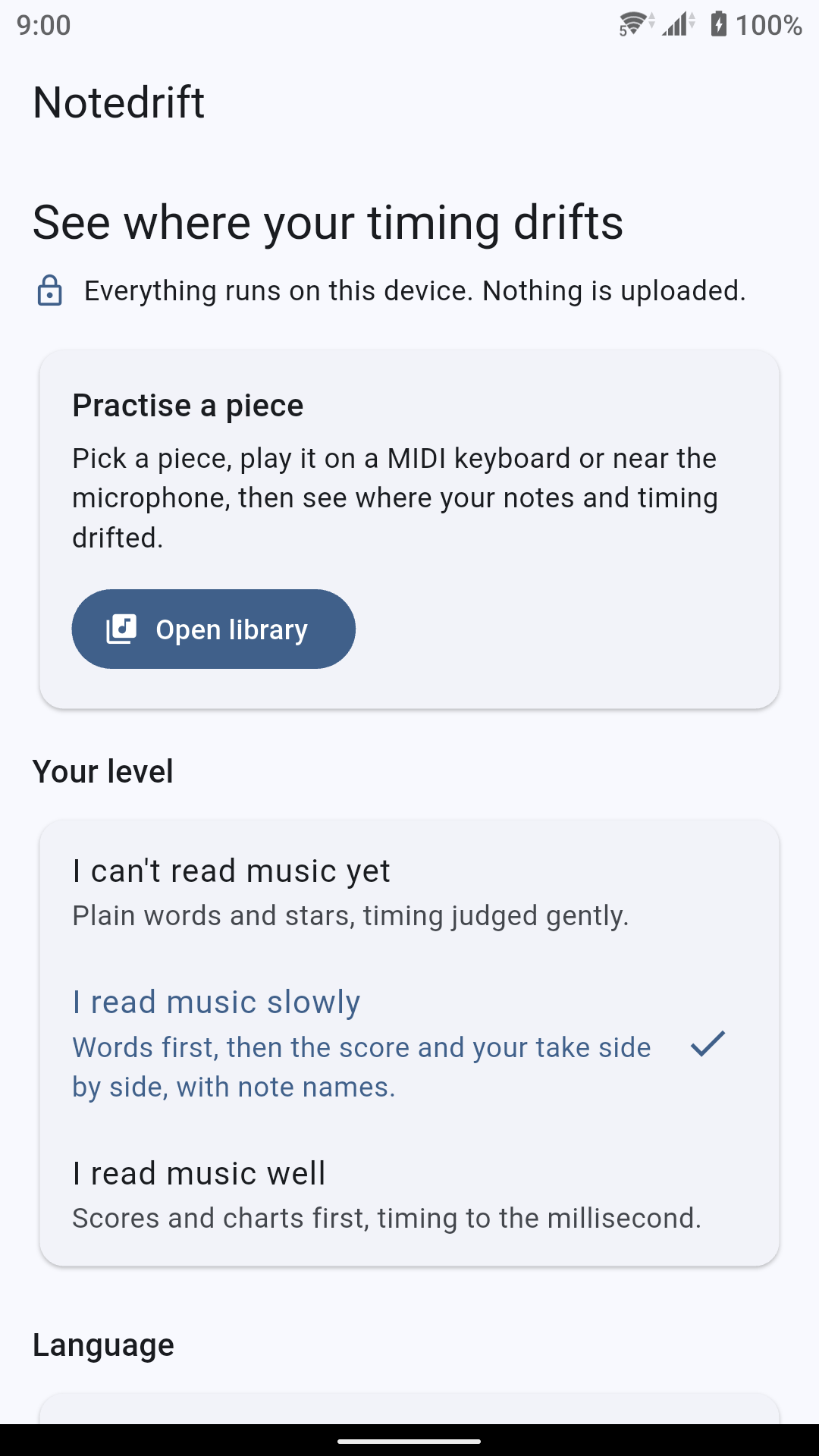
- Pick a piece from the library.
- Play it from start to finish, at your own speed. Nothing on the screen moves or asks you to keep up.
- Read your review. Notedrift compares what you played with the score, note by note.
Everything runs on your device. There is no account to create and nothing is uploaded.
Record with a MIDI keyboard or the microphone
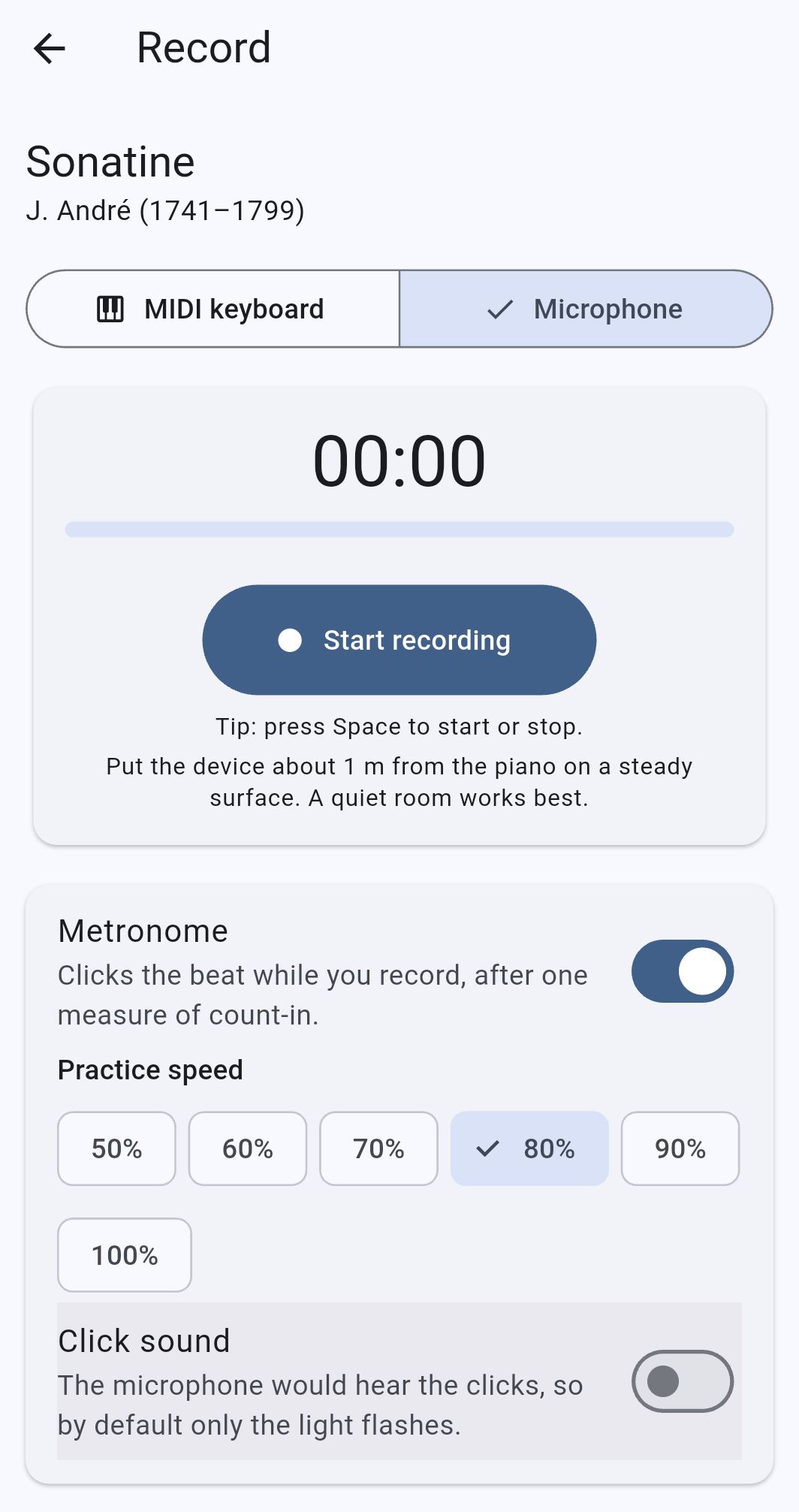
Notedrift hears you in two ways:
- MIDI keyboard. Plug a digital piano or keyboard in with a USB (OTG) cable, or connect it over Bluetooth MIDI. The app receives every key press, so the result is exact, note for note.
- Microphone. For acoustic pianos, and for keyboards without MIDI. Put the phone about 1 m from the piano on a steady surface. A quiet room works best.
Listening through a microphone is harder than reading MIDI, and Notedrift tells you so: a microphone review shows how confident the app is, and results it is unsure of count less in your score.
A metronome with a count-in
Turn on the Metronome and Notedrift gives you one measure of count-in, then keeps the beat while you record. Choose a practice speed from 50% to 100% of the piece's tempo. With the microphone, the metronome flashes a light instead of clicking by default, so that the clicks don't end up in your recording.
Your review
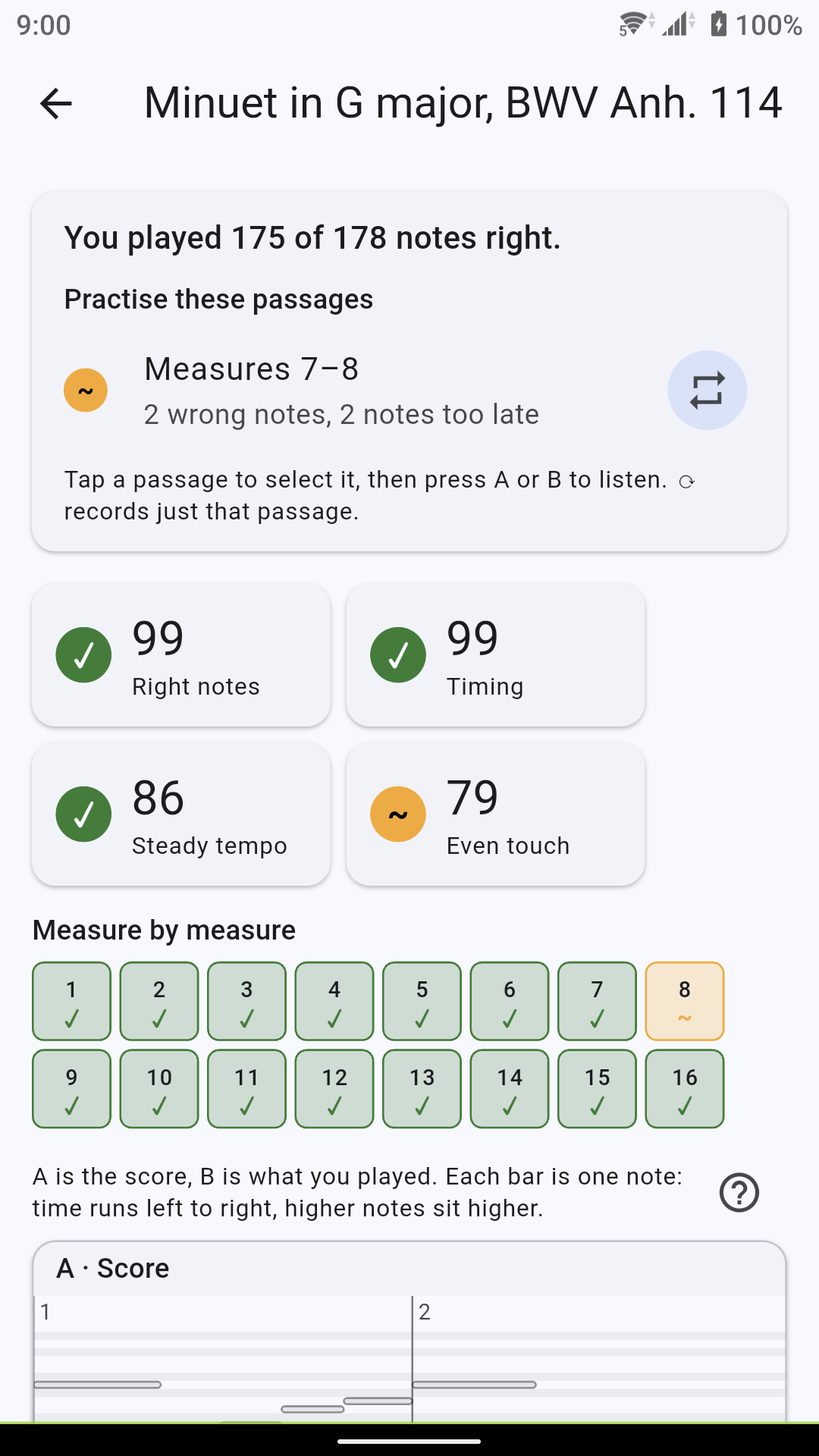
A review starts with one plain sentence, such as "You played 175 of 178 notes right", followed by the passages that most need work. Below it you find four scores, each from 0 to 100:
- Right notes: how many notes of the score you played correctly.
- Timing: how close your notes were to the beat.
- Steady tempo: whether you kept one speed or drifted.
- Even touch: how evenly you pressed the keys. This score needs a MIDI keyboard.
Every mistake, bar by bar
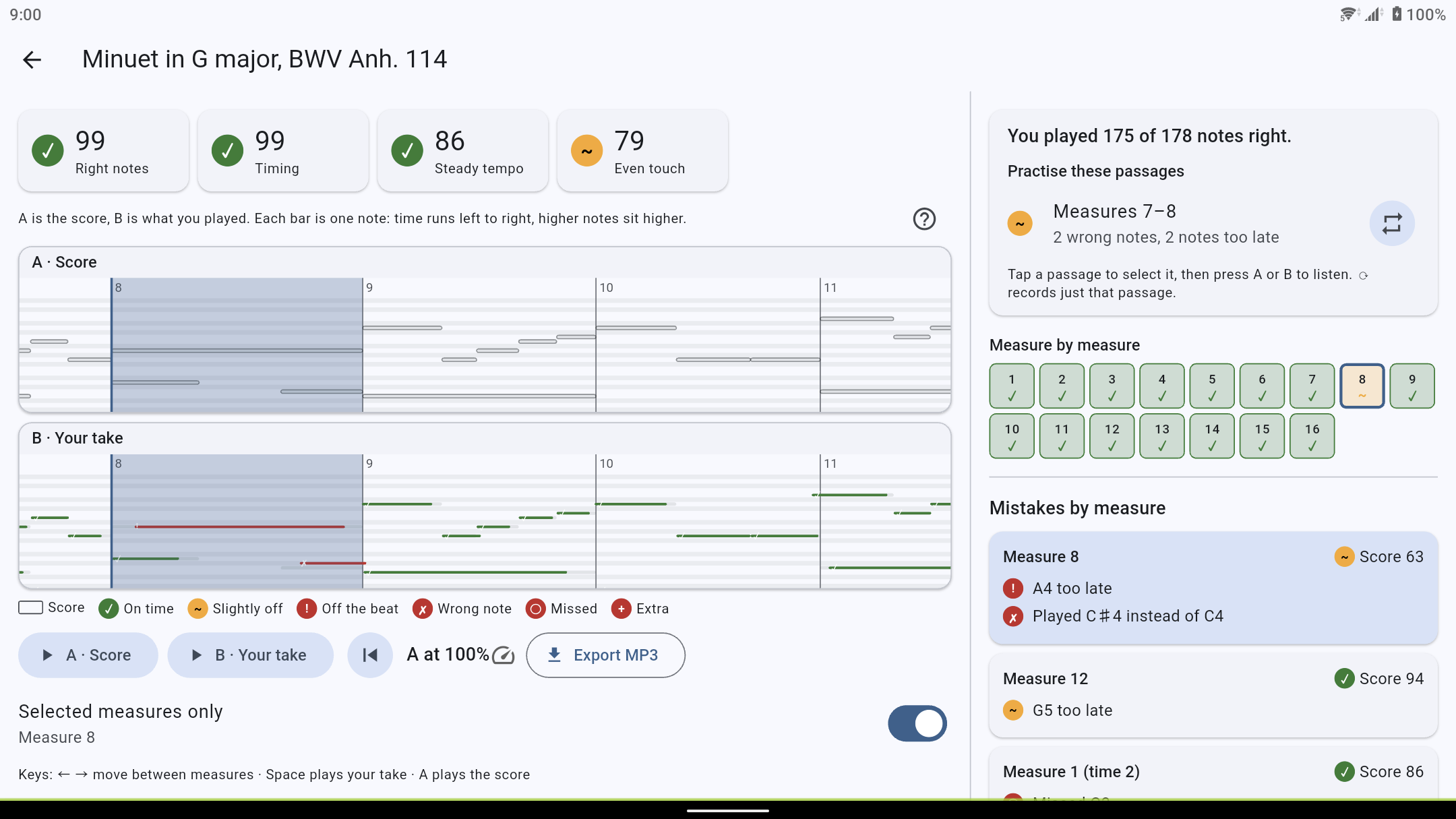
Mistakes by measure lists what went wrong in each bar, in words you can act on:
- a wrong note, for example "Played C♯4 instead of C4";
- a missed note that is in the score but that you did not play;
- an extra note that you played but that is not in the score;
- a note played too early or too late;
- a note held too short or too long.
Tap a measure to see its keys on a small piano keyboard: the right keys, the key you missed, and the key you pressed by mistake.
The score and your take, one above the other
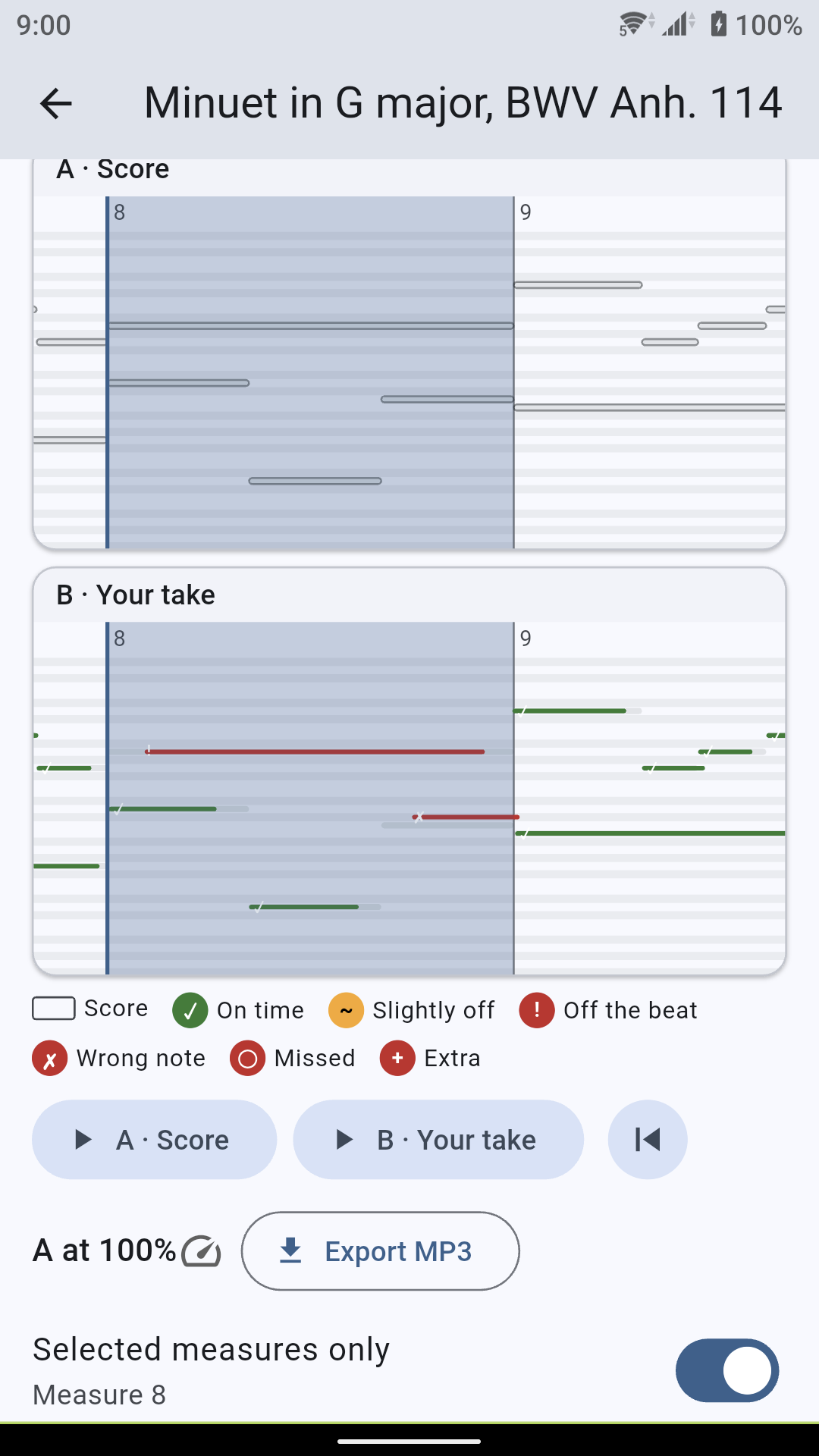
Frame A shows the score and frame B shows what you played. Each bar is one note: time runs from left to right, and higher notes sit higher up. Colours mark how each note went, from green for on time to red for a wrong note. Each colour comes with its own symbol, so you don't have to rely on colour alone.
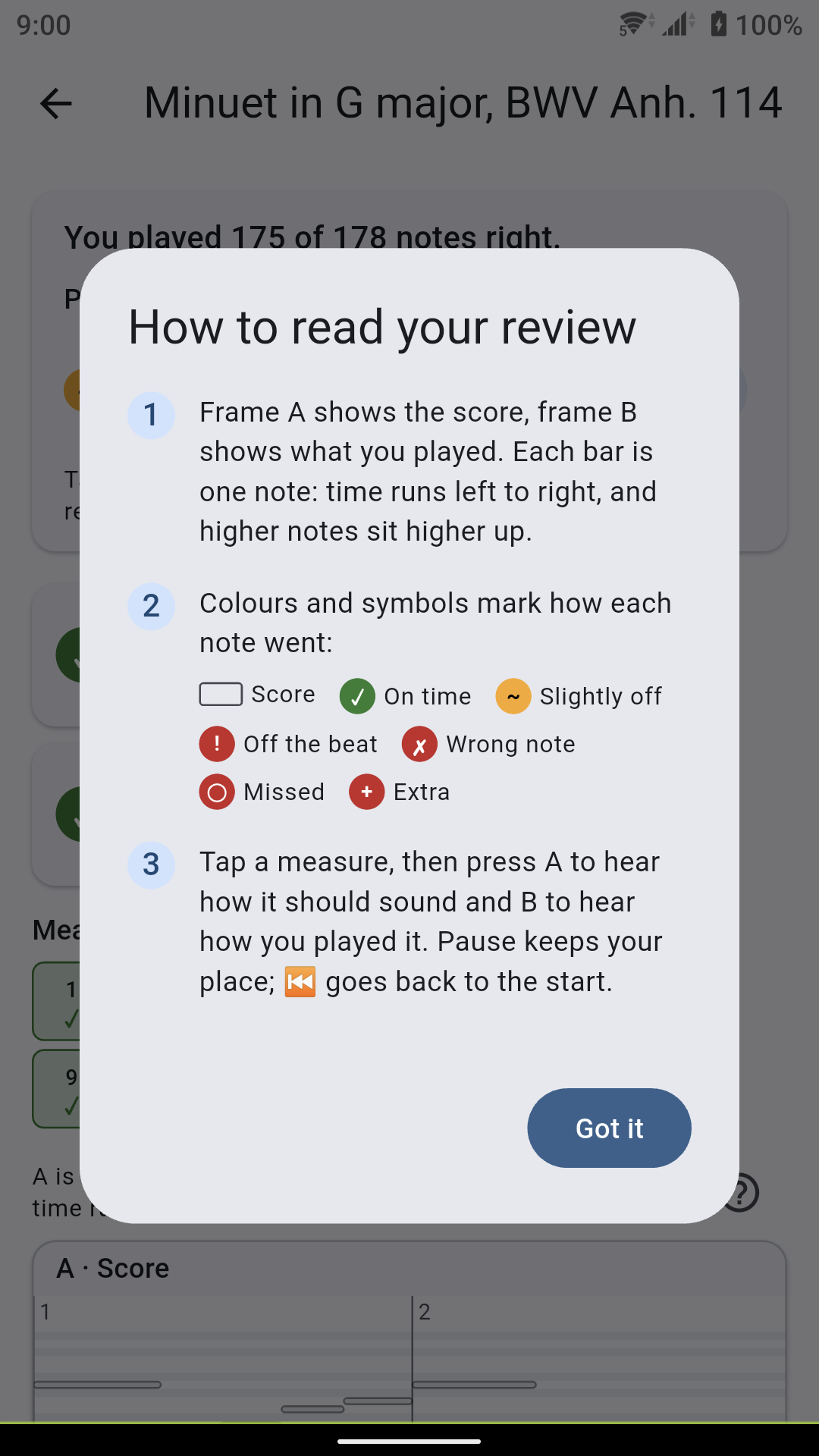
A short guide explains this view, and stays one tap away.
Hear the difference (A/B)
Select a measure, then press A to hear how it should sound and B to hear how you played it. Listening to the two back to back often explains a mistake faster than a chart does. If you like, download the optional real piano sound, a recorded piano used for playback.
Three levels, three ways to explain
Not everyone reads music, and a beginner should not be judged like an advanced player. Tell Notedrift how well you read music, and it changes how it explains your review and how strictly it judges your timing:
- I can't read music yet: plain words and stars, timing judged gently.
- I read music slowly: words first, then the score and your take side by side, with note names.
- I read music well: scores and charts first, timing to the millisecond.
You can change your level at any time.
A library to start with
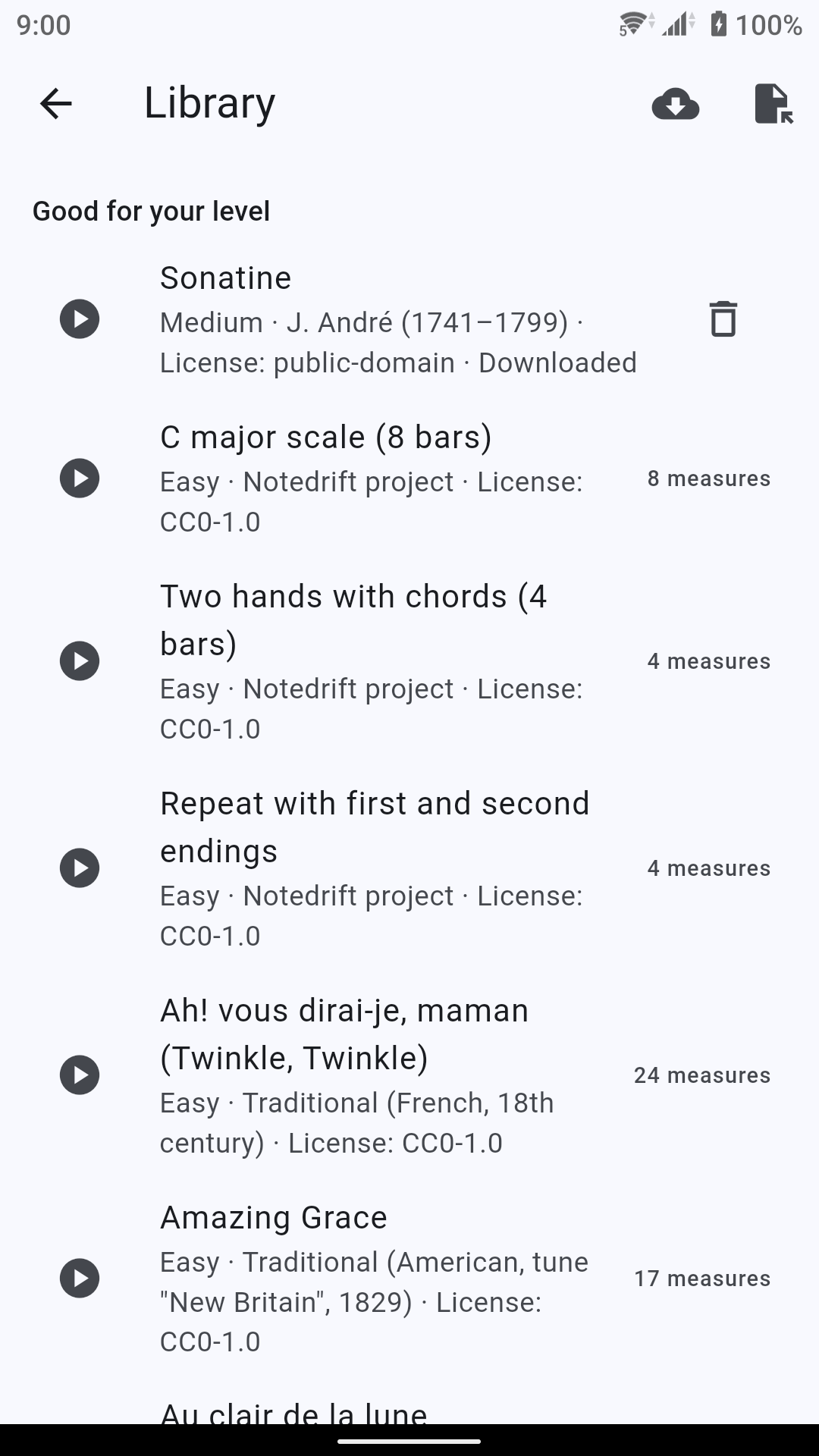
Notedrift comes with 20 pieces, from first exercises and tunes such as Ode to Joy and Frère Jacques to the Minuet in G major and the openings of Für Elise and the Prelude in C major. Pieces that fit your level are listed first, and you can listen to any piece before you play it.
Every piece shows its licence and its source. We only include music that is in the public domain or under a free licence.
Private by design
- Your recordings are analysed on your device and never leave it.
- No account and no sign-in.
- No ads, no analytics and no tracking.
- It works offline. The app goes online only to download what you ask for: pieces from the online library and the piano sound.
Notedrift Pro: one purchase, no subscription
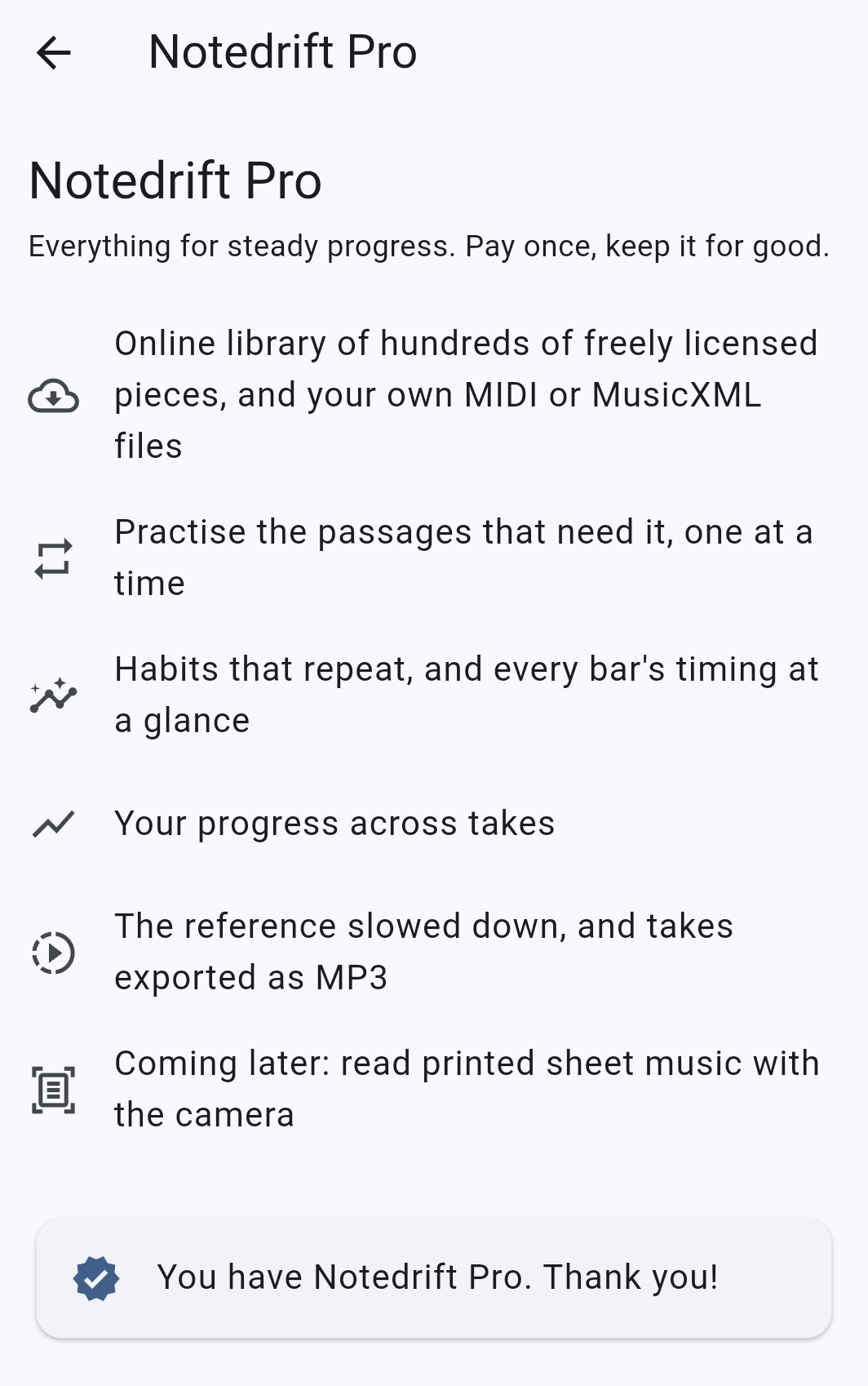
Everything above is free. Notedrift Pro is a one-time purchase for players who practise regularly. You pay once and keep it for good.
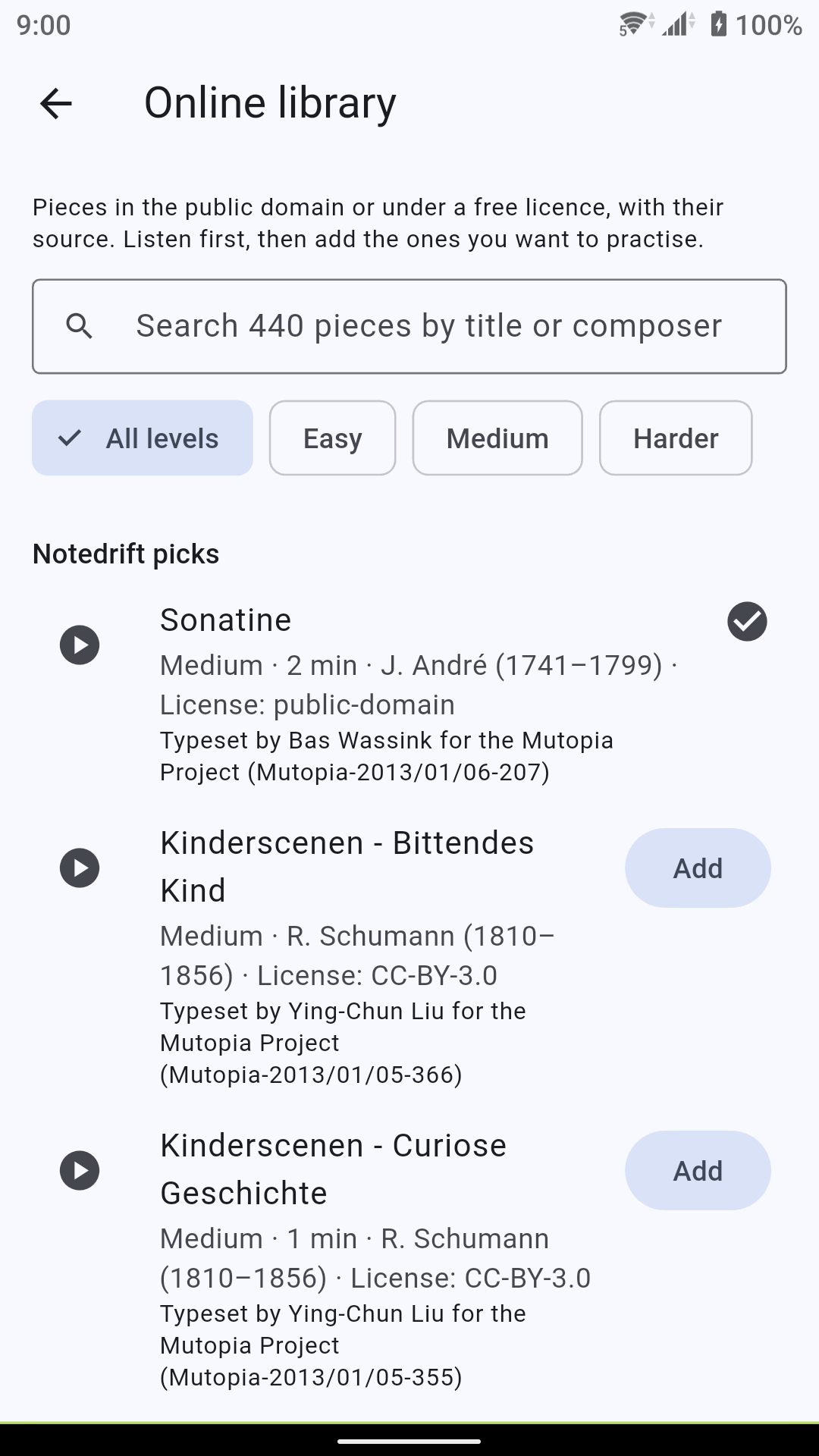
- Online library. Hundreds of freely licensed pieces, public domain and Creative Commons, each with its source and credit. Search by title or composer, filter by level, listen first, then add the ones you want to practise.
- Your own files. Import MIDI or MusicXML files of music you have the right to use. They stay on your device.
- Passage practice. Record only the passage that needs work, instead of the whole piece.
- Habits. Notedrift finds mistakes that repeat, such as left-hand notes that tend to come late or short notes that tend to come early.
- Measure by measure. One grid shows how every bar of the piece went.
- Progress. A chart of your takes of a piece shows how your right notes and timing changed.
- Slow down the score. Play the reference at a lower speed to hear a hard passage clearly.
- Export MP3. Save or share a take as an MP3 file.
Reading printed sheet music with the camera is planned for a later version.
For phones and tablets
On a phone, the review is one column that you scroll. On a tablet, the score and your take sit on the left and the list of mistakes on the right, so you see both at once. If you connect a computer keyboard, the arrow keys move between measures, Space plays your take and A plays the score.
Good to know
- Notedrift reviews your playing. It does not teach you to read music.
- The app is in English and Vietnamese for now. More languages will follow.
- A MIDI connection gives the most exact review. With the microphone, expect a few uncertain notes, more so with dense chords, the pedal or a noisy room.
Get Notedrift
This is the first release, and we would like to hear how it works with your piano. Tell us what you think in a review on Google Play.
Videos
Related app
Notedrift: Find Piano Mistakes
See wrong notes and where your timing drifts, right after you play the piano.