Daily Wallpapers 0.3.21: No More Zoomed-In Wallpapers, Plus Wi-Fi Only and a One-Tap Widget
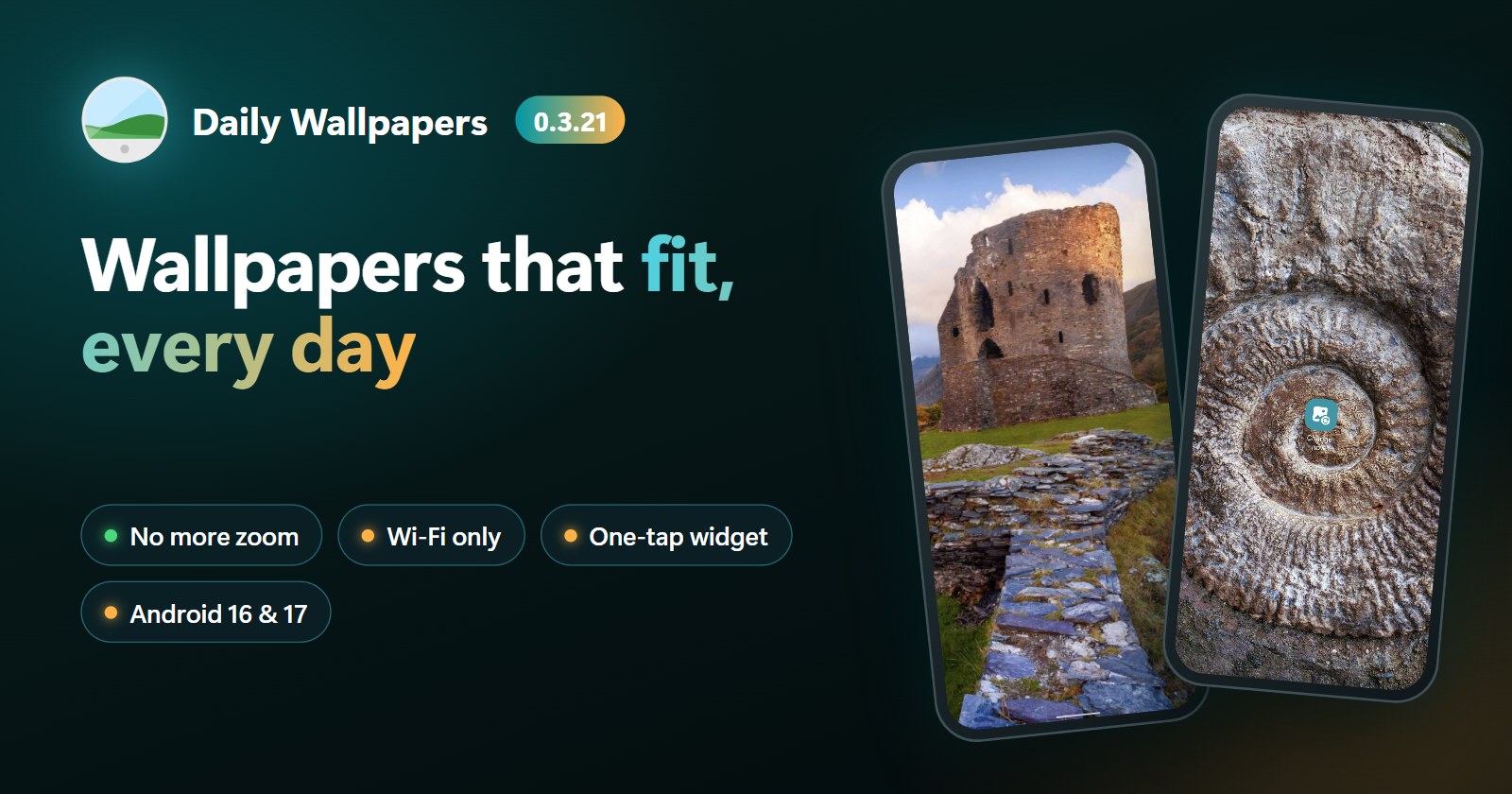
Daily Wallpapers 0.3.21 fixes wallpapers that looked zoomed in or blurry after a nightly change, stops over-cropping portrait photos, adds a "Download on Wi-Fi only" option and a home screen widget that changes the wallpaper with one tap. It is also ready for Android 16 and 17.
On this page
Daily Wallpapers 0.3.21 is now available on Google Play. This update starts with the problem many of you wrote to us about: wallpapers that looked zoomed in or blurry after they changed overnight. It's fixed. On top of that, you get two features you asked for: Download on Wi-Fi only and a home screen widget that gives you a new wallpaper with one tap.
Wallpapers that fit your screen, sharp and centered
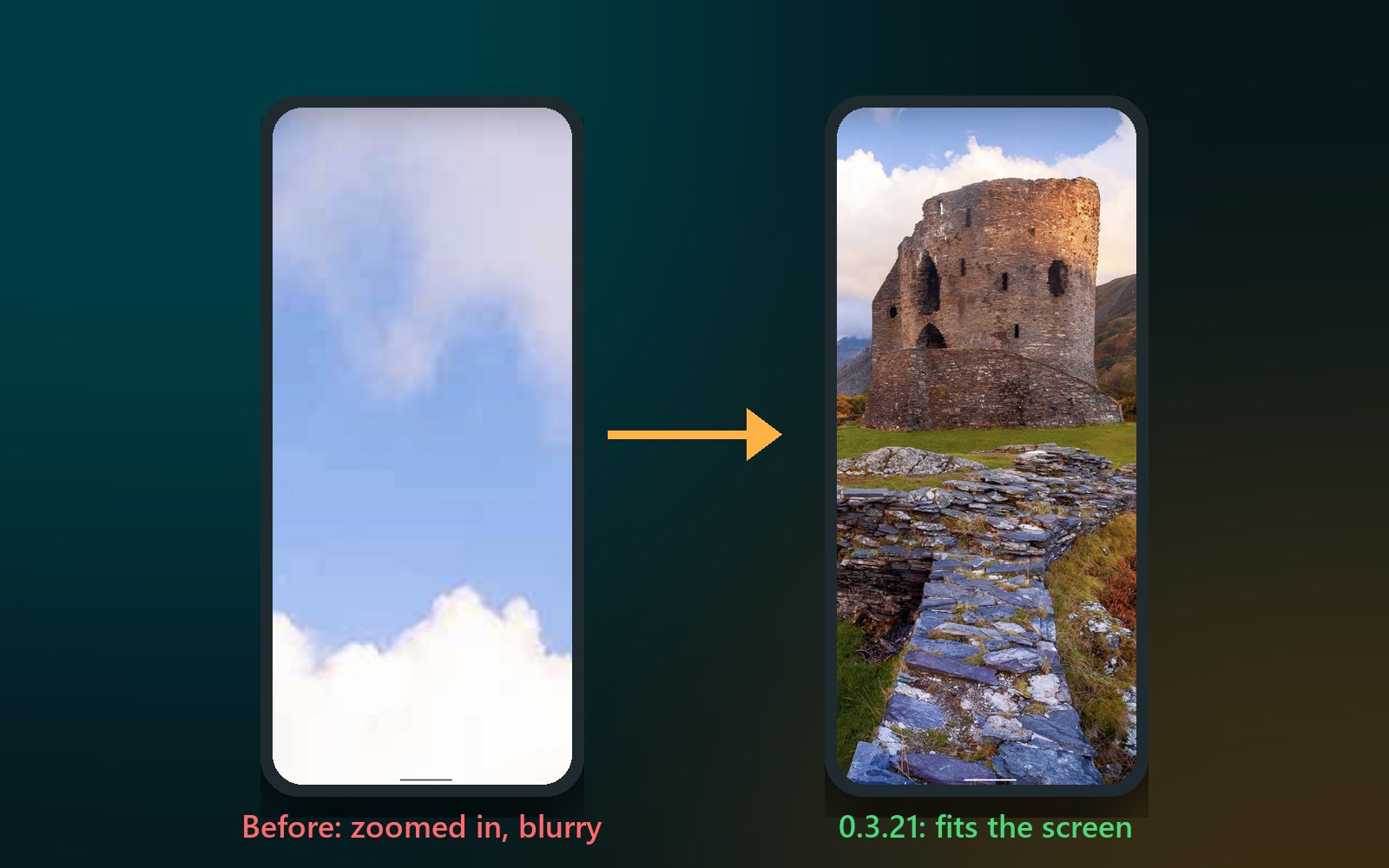
Some of you saw your wallpaper enlarged after a while, or zoomed in on the home screen, so you only saw a blurry corner of the picture. We tracked it down to two causes:
- The phone's position at change time. Daily Wallpapers measured the screen when it set the wallpaper. If your phone happened to be in landscape at that moment, the wallpaper was cut for a landscape screen and then showed zoomed in when you held the phone upright again. That's why it seemed to happen "after some time".
- How some phones apply the crop. The app used to hand the picture to Android together with the part it should show. Some phones scale that part up to the size the launcher asks for, so the wallpaper ended up heavily zoomed and blurry.
Daily Wallpapers 0.3.21 now measures the full screen in its upright orientation, including the area behind the navigation bar, and cuts the picture itself before setting it. Every phone gets a wallpaper that is exactly the size and shape of its screen, sharp and centered, no matter how you were holding the phone at 3 a.m.
With Portrait mode on, the wallpaper is cut to exactly one screen, so there's no extra width left for the launcher to scroll.
Portrait photos, uncropped
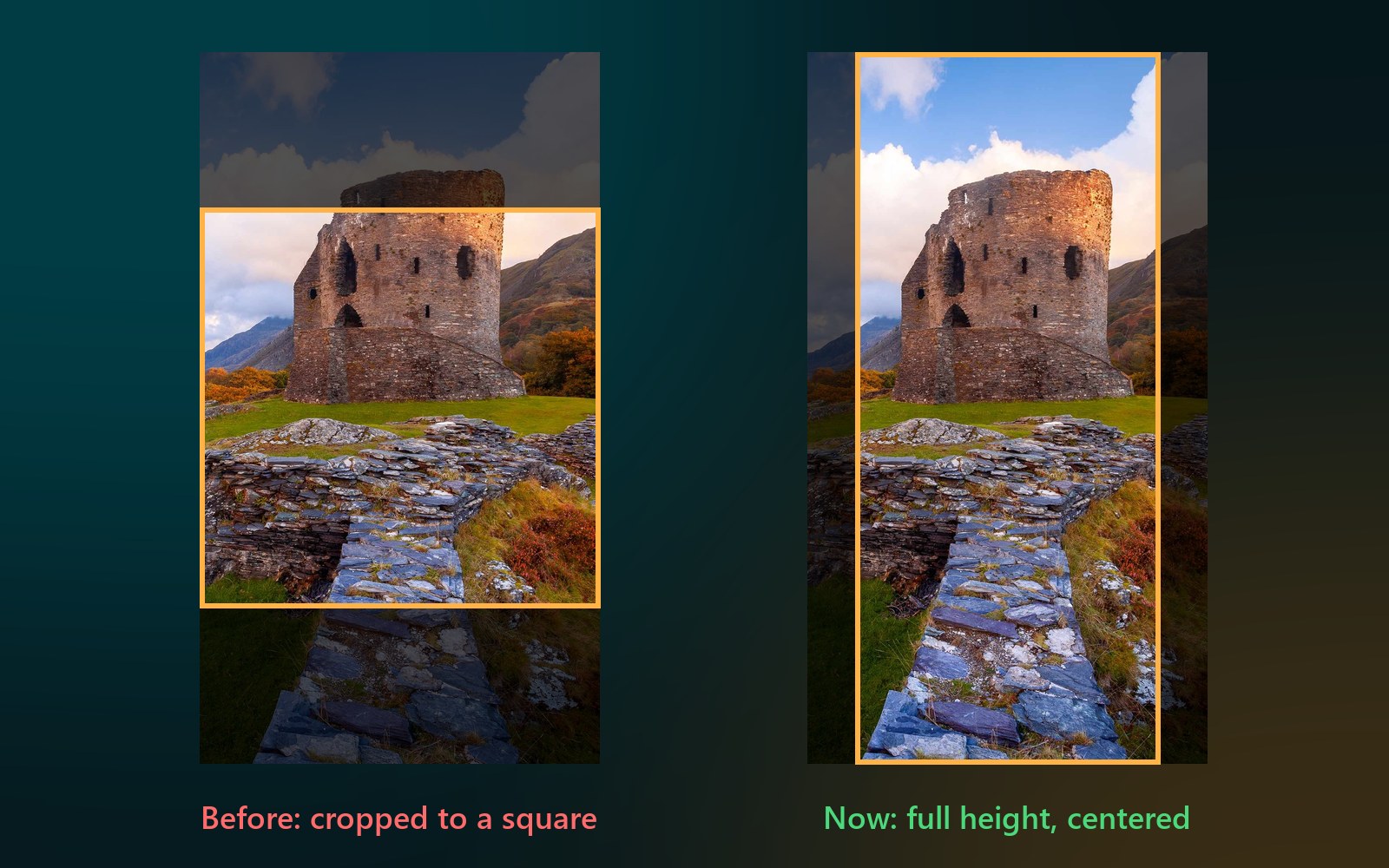
With Portrait mode off, the app prepares a wide wallpaper so it can scroll across your home screen pages. Portrait photos, from your own folder for example, used to be forced into that wide shape, which kept only a square slice from the middle of the photo.
Now the app never cuts more than it has to: a portrait photo keeps its full height, and only landscape pictures are prepared for scrolling.
New: Download on Wi-Fi only
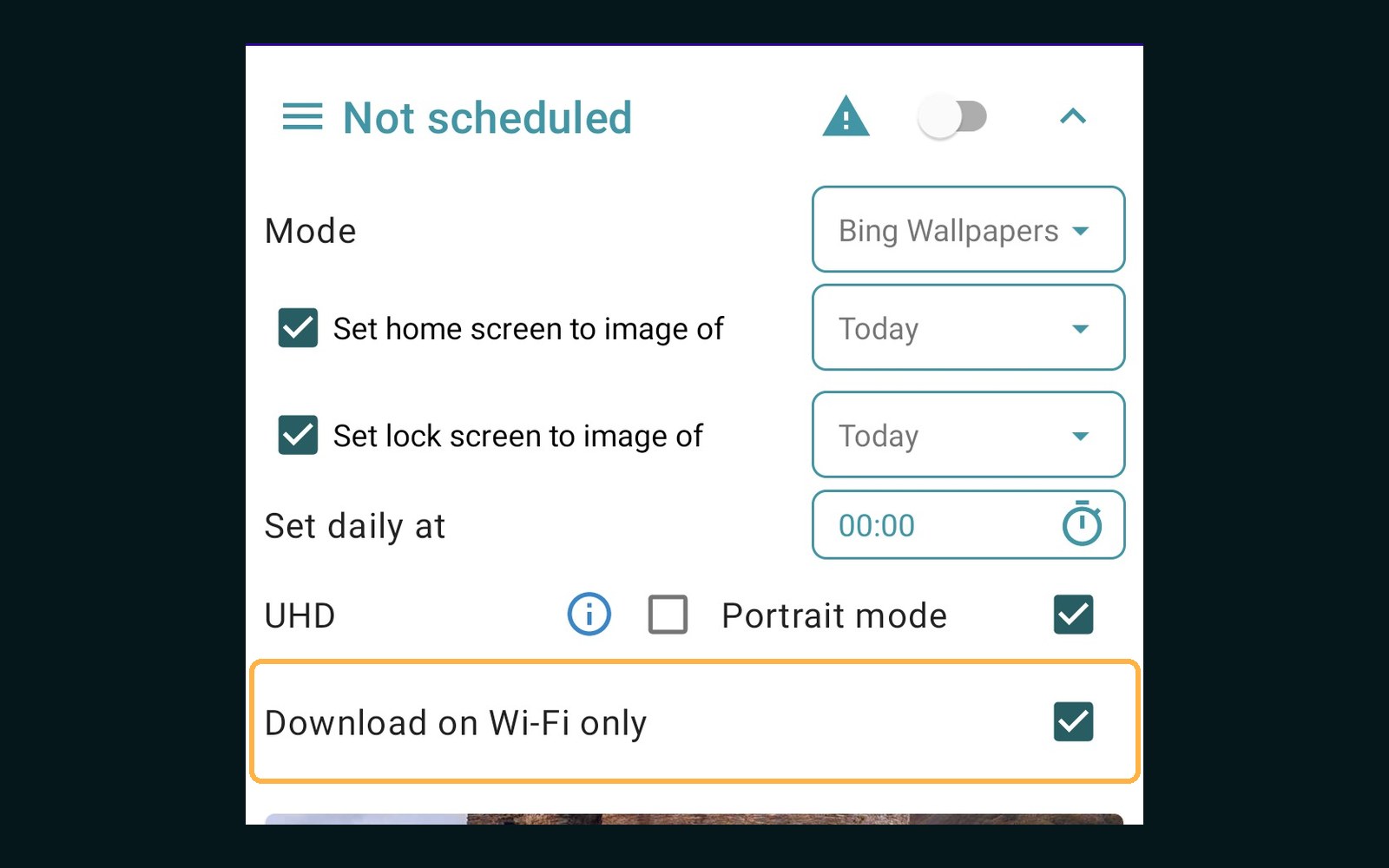
Bing and Picsum wallpapers are downloaded fresh, and a UHD Bing image can be several megabytes. If you'd rather not spend mobile data on them, tick Download on Wi-Fi only on the Bing or Picsum screen.
- When the next change is due and you're on Wi-Fi, nothing changes: the wallpaper updates on time.
- When you're on mobile data, the change waits until you're back on Wi-Fi, then runs.
- Wallpapers from a local folder are not affected; they never use the network.
New: change the wallpaper with one tap
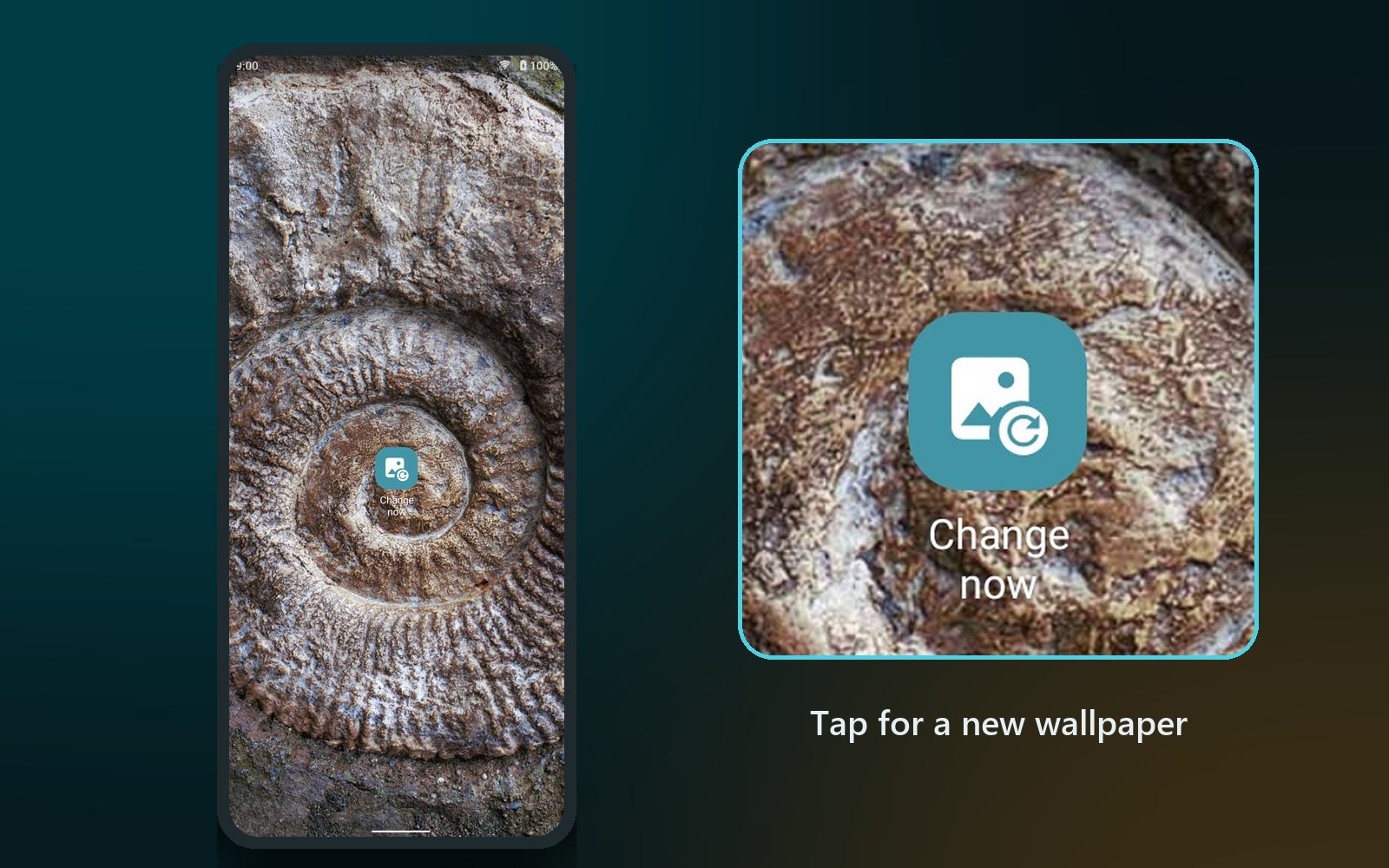
Don't like today's picture, or just want something new? Add the Change wallpaper widget to your home screen and tap it whenever you like.
- Touch and hold an empty spot on your home screen and choose Widgets.
- Find Daily Wallpapers and drag Change wallpaper onto the home screen.
- Tap it. You'll see Changing wallpaper…, and a moment later you have a new wallpaper.
What you get depends on the mode you use in the app:
- Bing: a random pick from the recent Bing wallpapers.
- Picsum: a new random photo.
- Local folder: another random image from your folder.
The widget works even if the automatic daily change is switched off, and it doesn't turn it on. It's small, like an app icon, so it fits in with the rest of your home screen.
Ready for Android 16 and 17
Daily Wallpapers now targets the latest Android, so it's ready for Android 16 and 17 and meets Google Play's newest requirements, including support for phones that use 16 KB memory pages.
We also made the background change more dependable: the app now tells Android as soon as the wallpaper is set, instead of leaving the task running until the system stopped it. That's kinder to your battery and makes the nightly change more reliable.
Note: Daily Wallpapers now needs Android 6.0 or later. Phones on Android 5 keep the version they have.
A note for foldable phones
Several of you with a foldable, such as the Galaxy Z Fold, asked why only the cover screen changes overnight. Android lets apps set the home screen and lock screen wallpaper, but it gives them no way to choose between the inner and the cover screen, so the phone applies the new wallpaper to the screen that's active, and at night that's usually the cover screen. Other wallpaper apps run into the same limit. We're looking into a workaround and will share news when we have one.
Get the update
Daily Wallpapers 0.3.21 is rolling out on Google Play now. If you don't see it yet, it should arrive within a few days. To try the new features, open the app and look for Download on Wi-Fi only under the settings, then add the Change wallpaper widget from your home screen.
Get Daily Wallpapers on Google Play · Daily Wallpapers Pro
Thank you to everyone who wrote in with screenshots and details. Your reports led straight to these fixes. Have feedback or ideas? Send them from the app's Feedback menu; we read every message.
Videos
Related app
Daily Wallpapers
A Fresh Wallpaper for Every Day