
Banana Studio
Headlyx: Car Screen Receiver icon

Headlyx: Car Screen Receiver

Use a tablet or spare phone as the car screen for Android Auto™ from your phone.

Paid

Use a tablet or spare phone as the car screen for Android Auto™ from your phone.

Screenshots

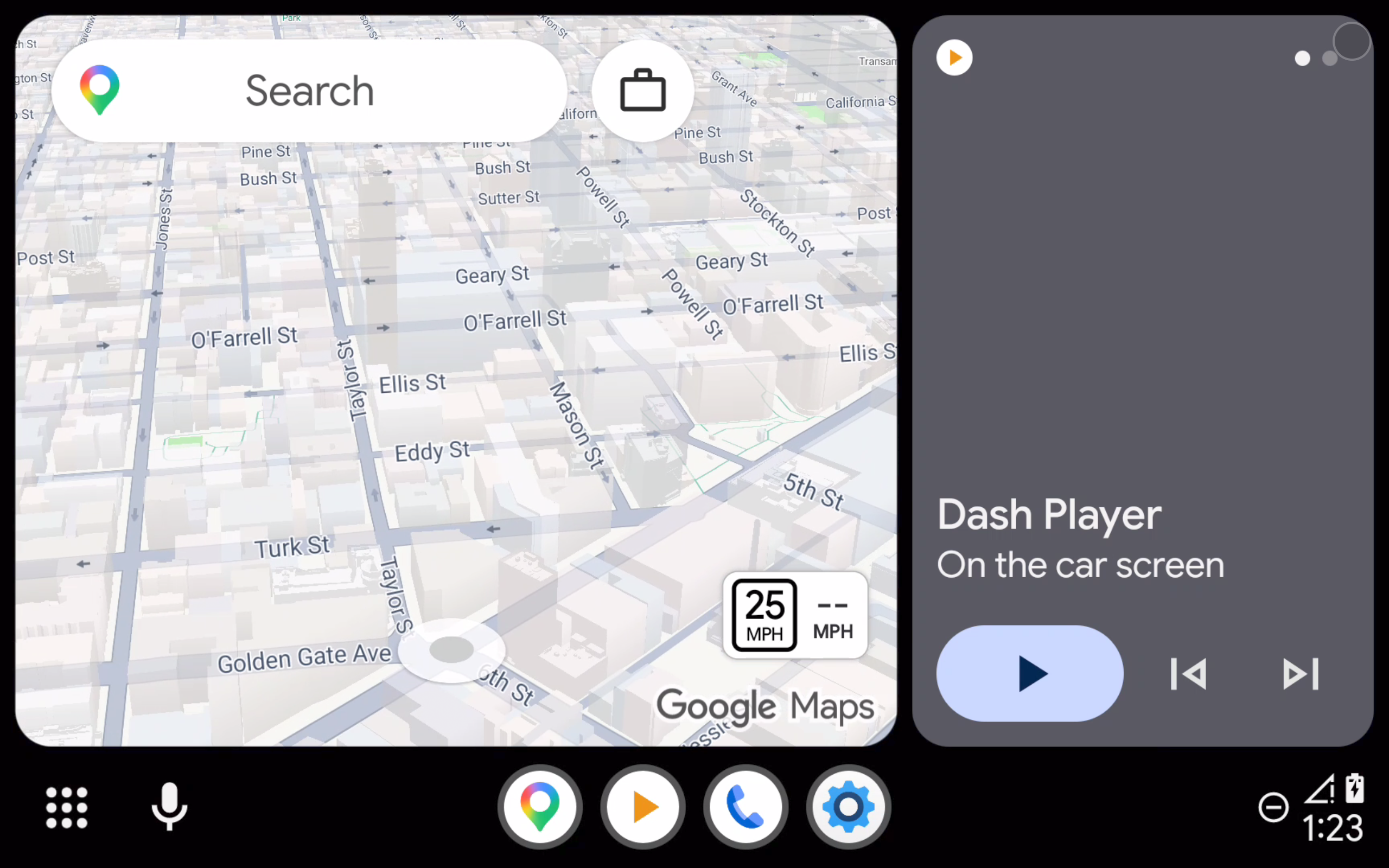
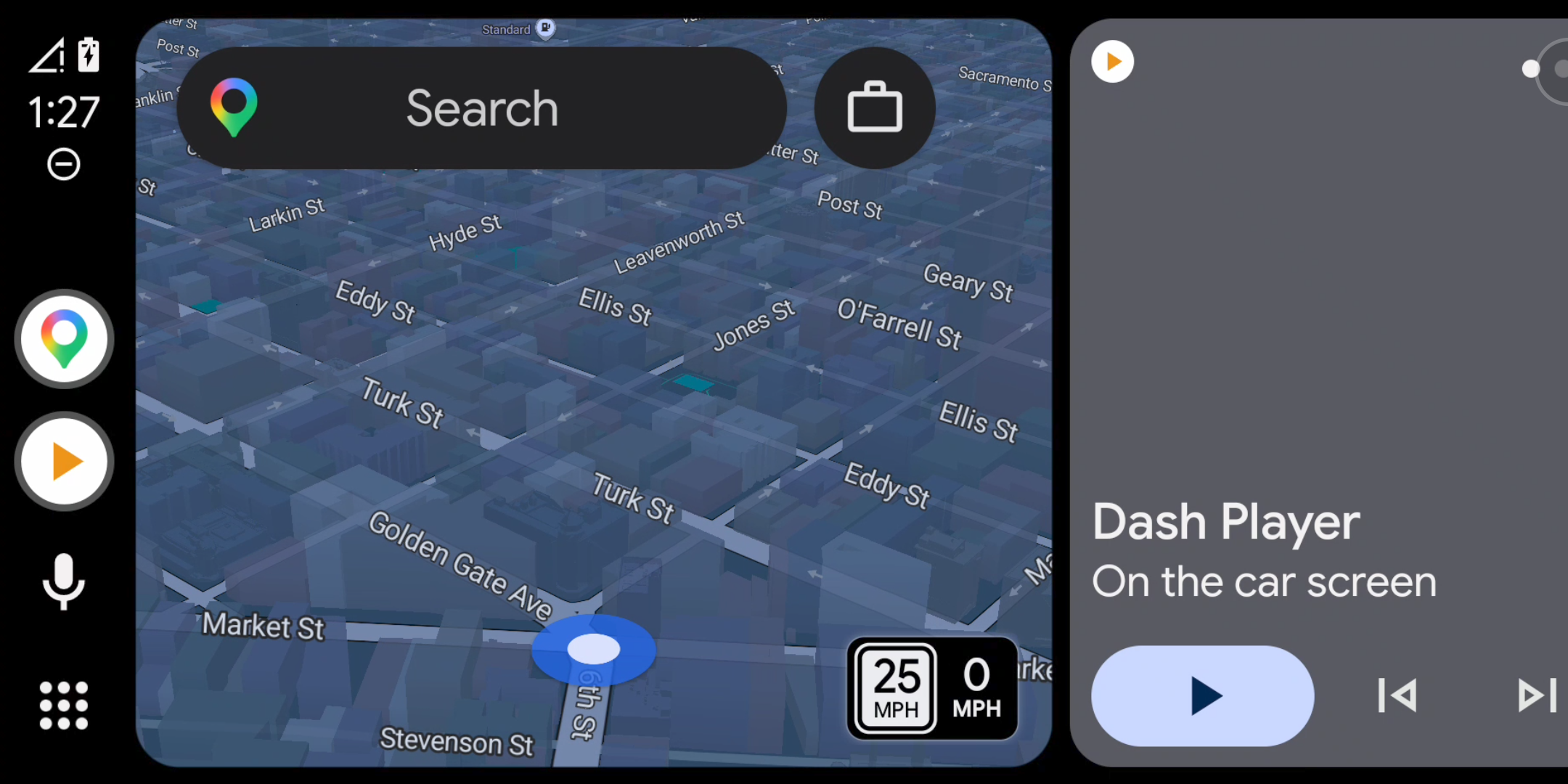
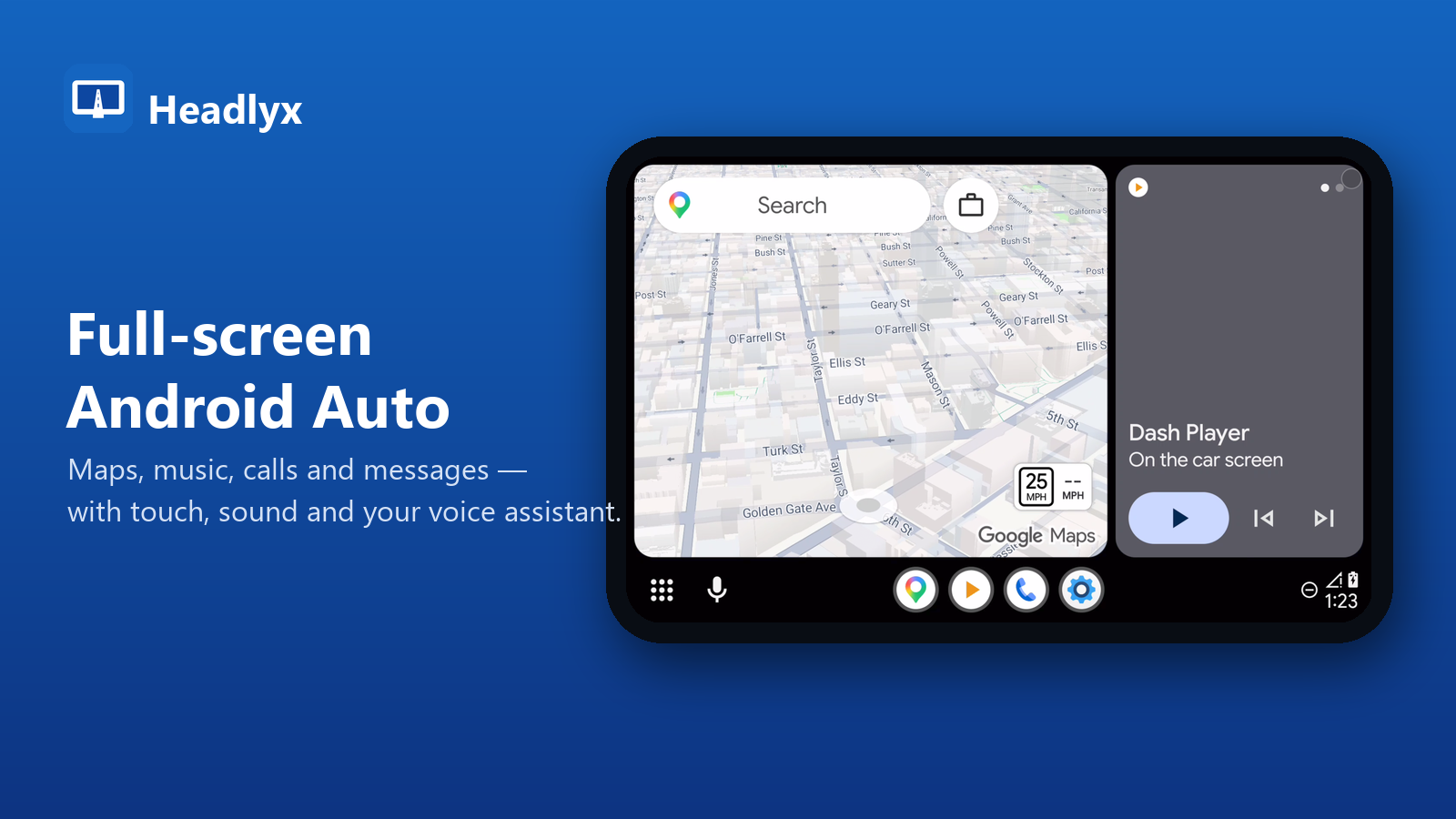
Android Auto full screen on a tablet with Headlyx
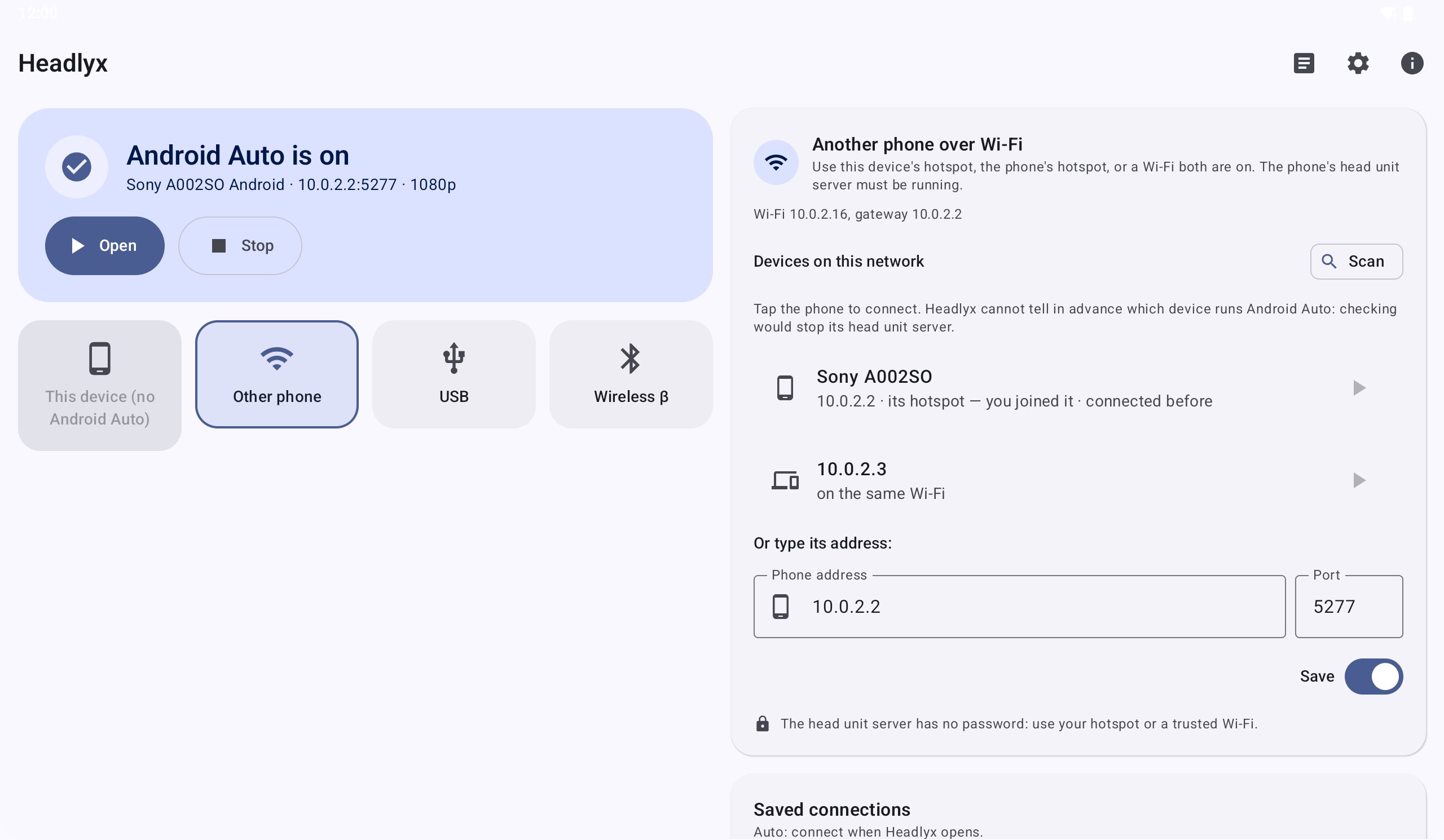
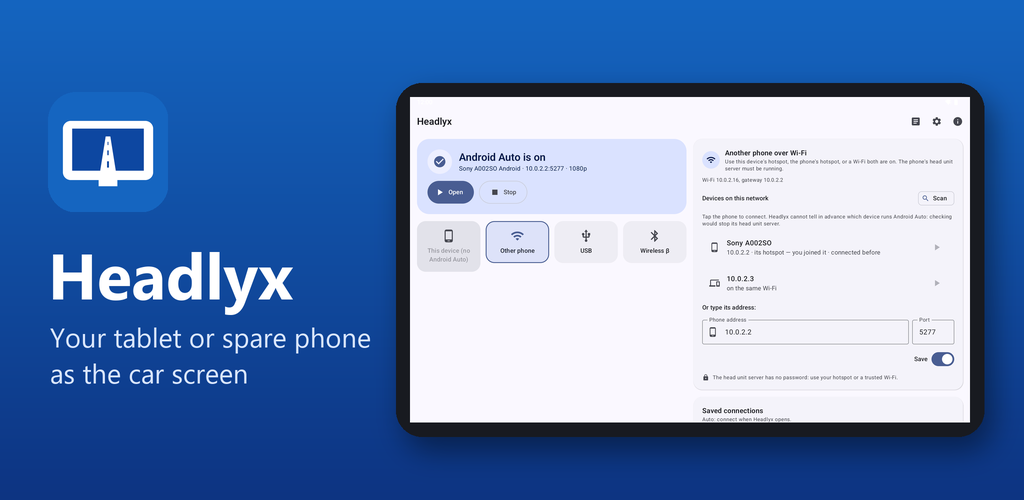
Headlyx connected to the phone over Wi-Fi
The Headlyx home screen
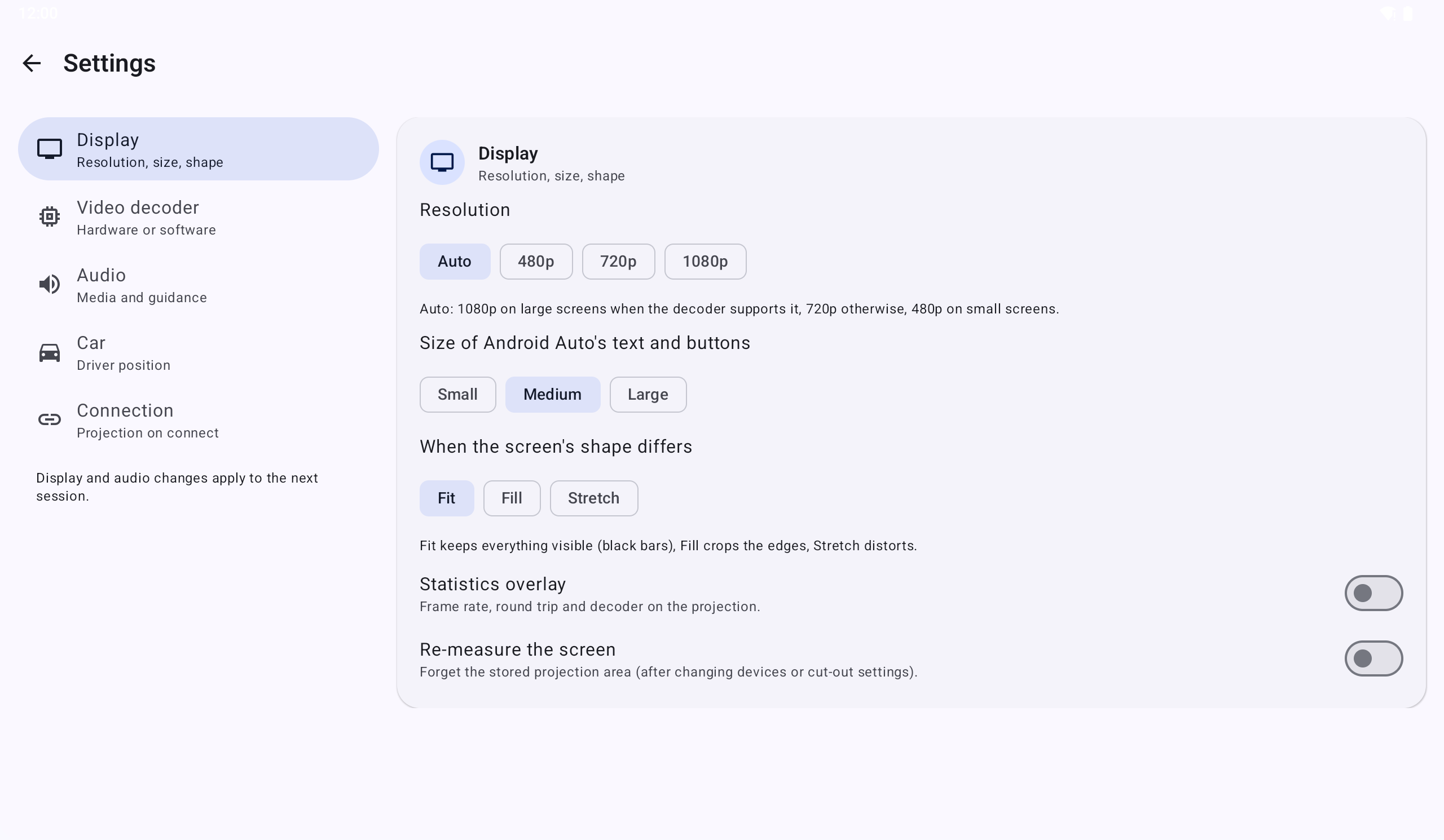
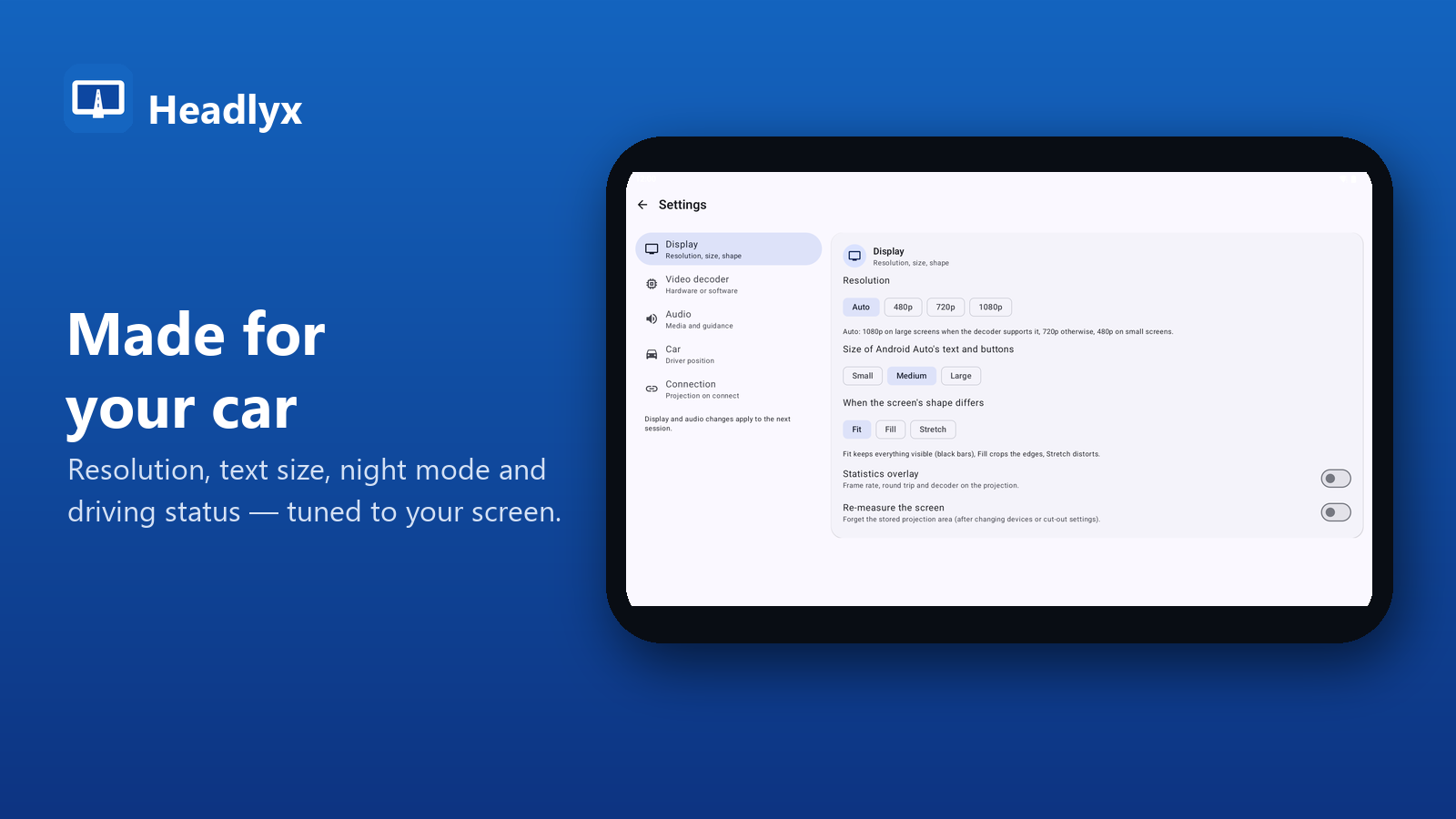
Display settings in Headlyx
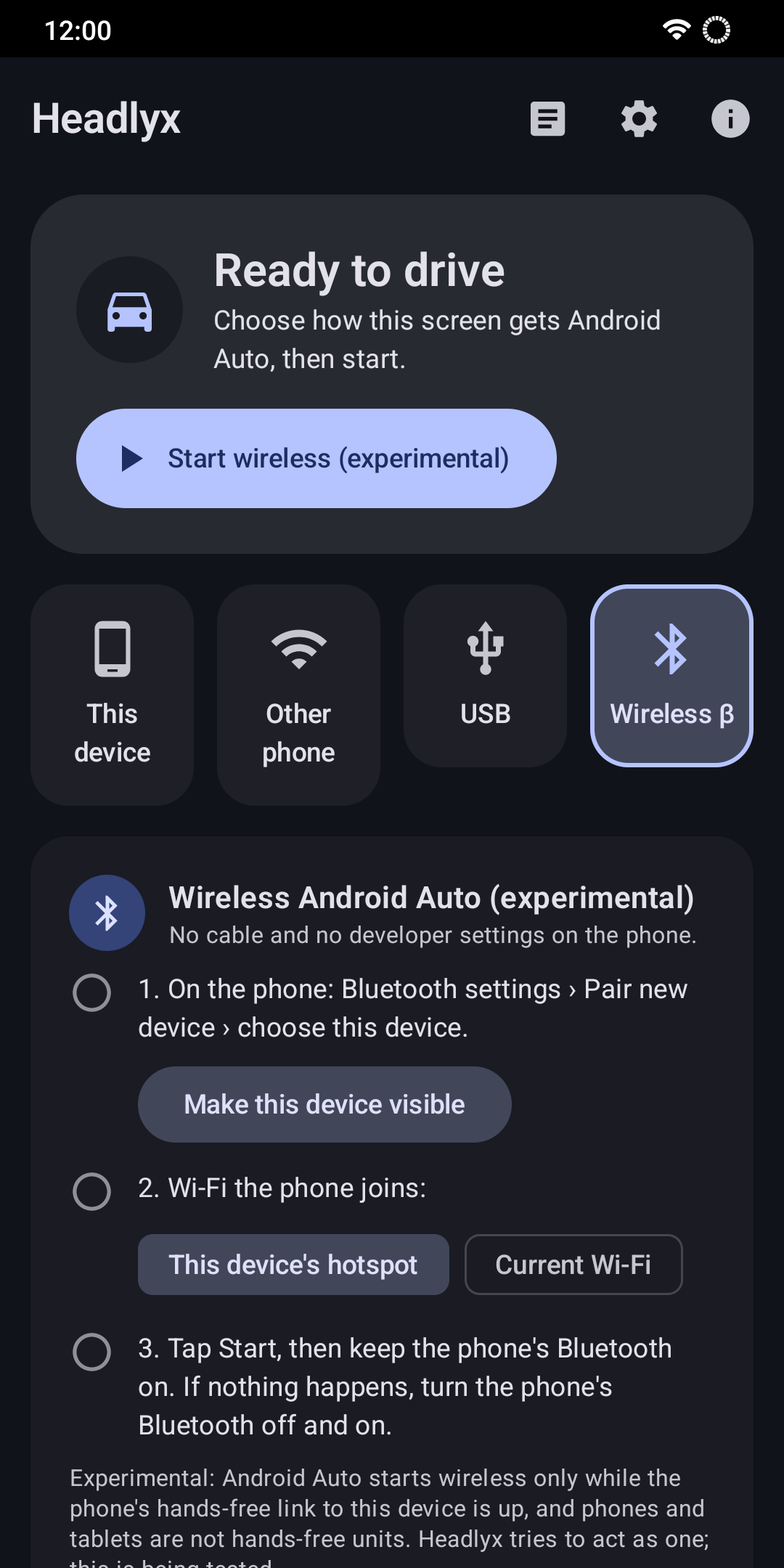
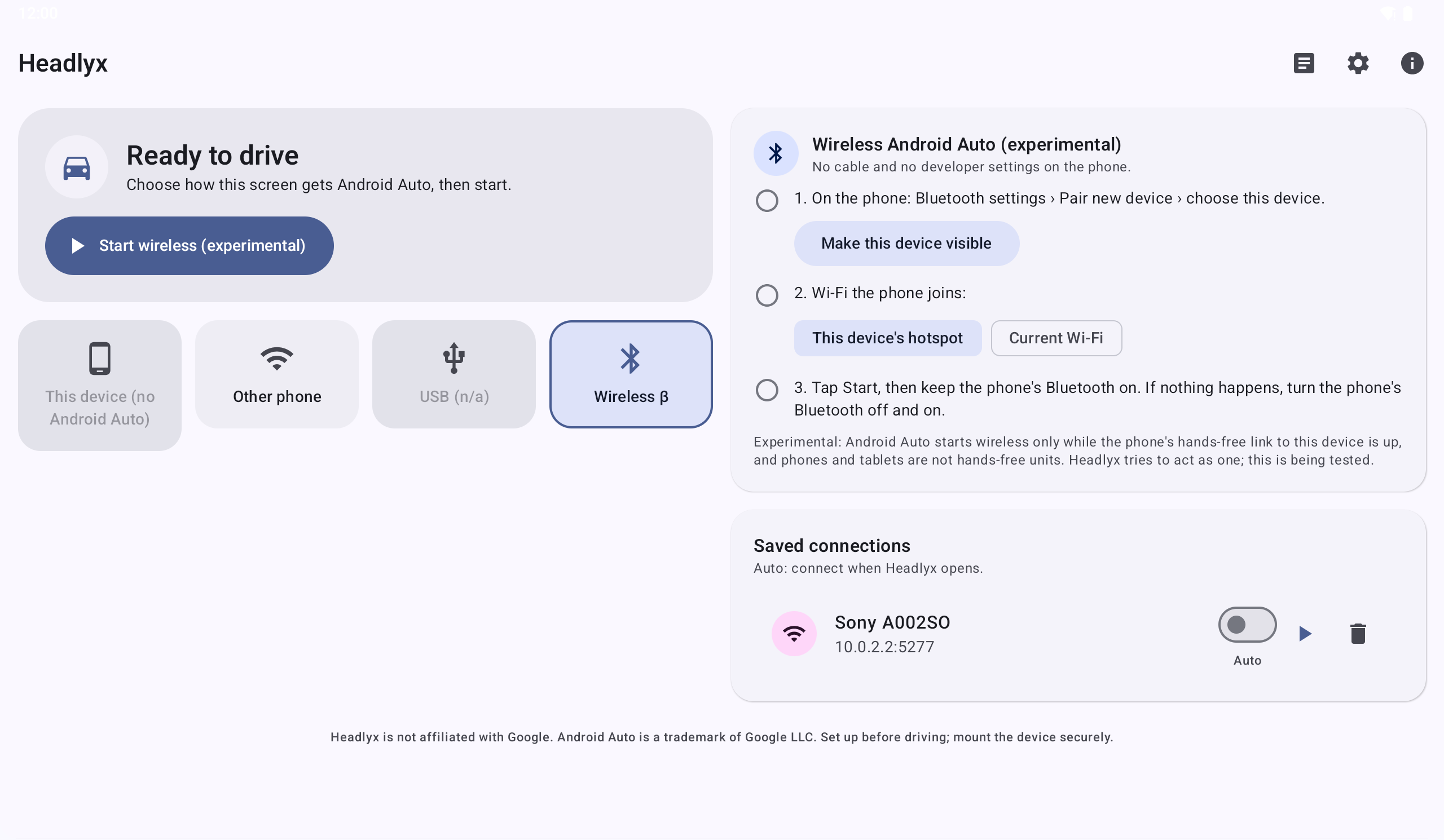
Setting up a wireless connection
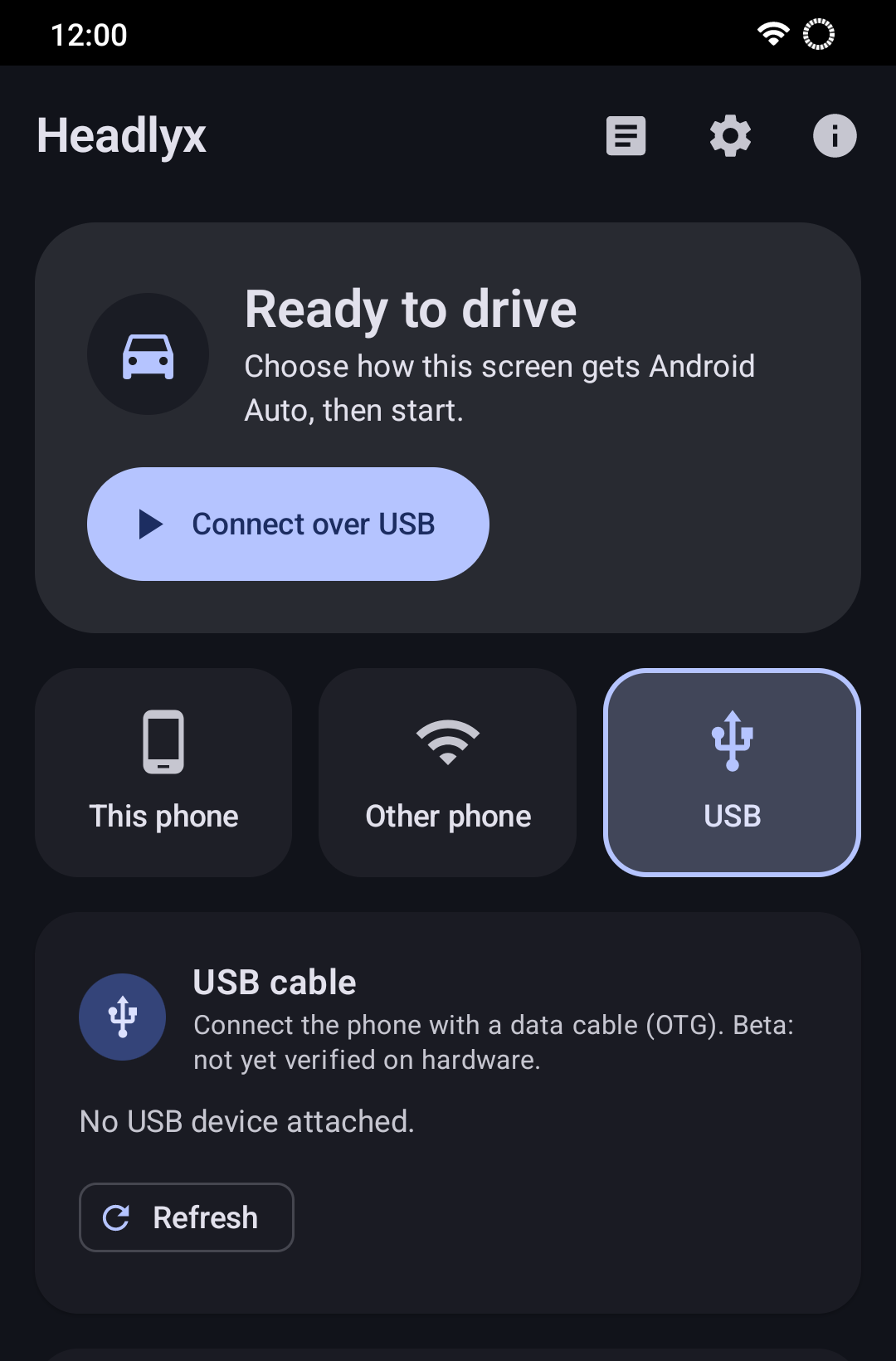
Connecting the phone by USB cable
Android Auto on the phone itself (This device mode)

Videos

About this app

Headlyx turns an Android tablet or a spare phone into a car display for Android Auto™. Maps, music, calls and messages from your phone appear on a bigger screen in your car, with touch, sound and your voice assistant.

Headlyx — your tablet or spare phone as the car screen

HOW IT CONNECTS

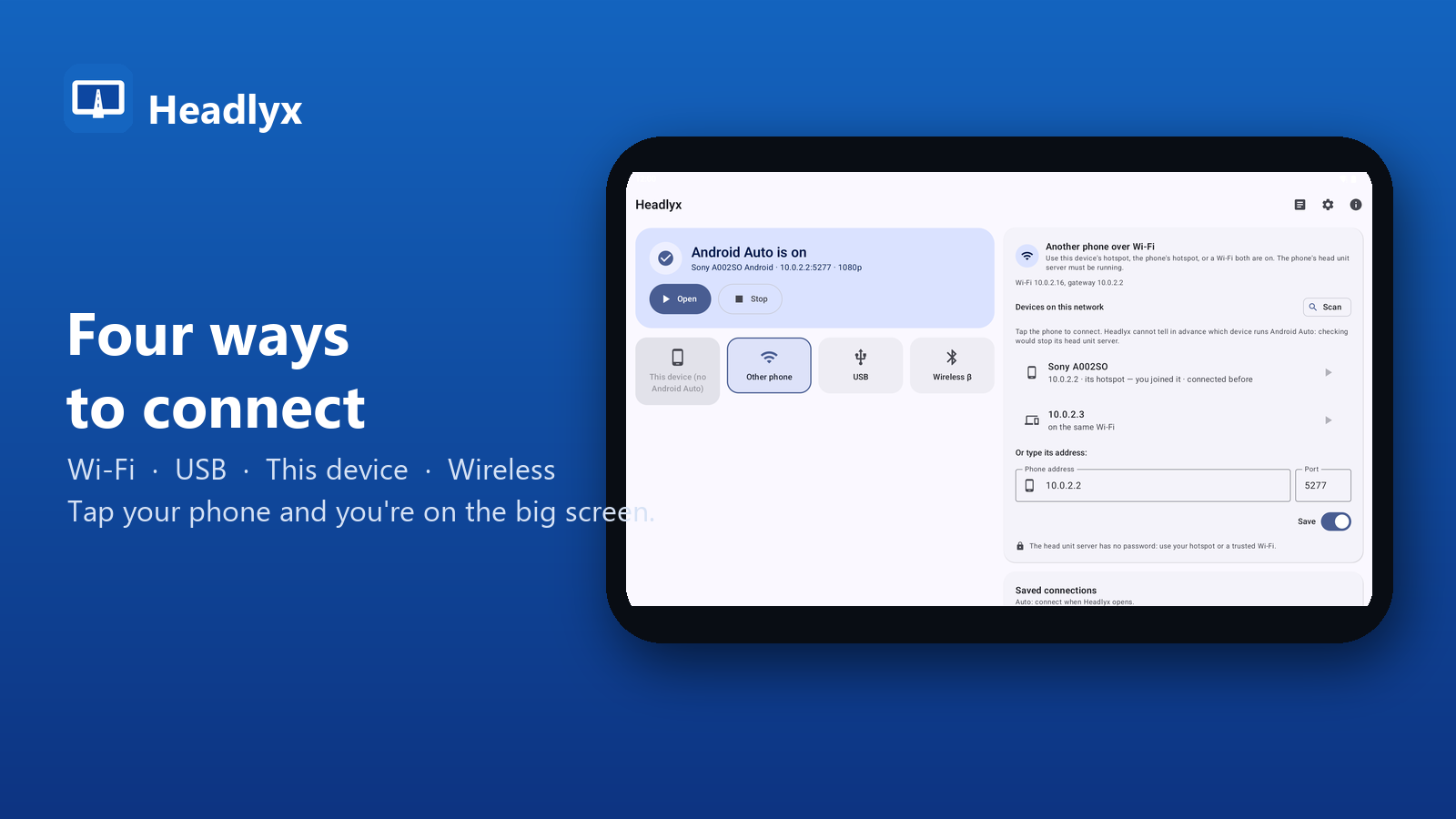
Four ways to connect: Wi-Fi, USB, This device, Wireless

  • Wi-Fi: Headlyx lists the devices on your network – this tablet's hotspot, your phone's hotspot, or a Wi-Fi both are on. Tap your phone to connect.
  • USB cable: plug your phone into the tablet (USB-C to USB-C, or an OTG adapter). The tablet must support USB host (OTG).
  • This device: show Android Auto full screen on the same phone, for example on a dashboard mount.
  • Wireless (experimental): Bluetooth and Wi-Fi, like a wireless car stereo. Still being tested on more devices.

WHAT YOU GET

Full-screen Android Auto with maps and media

  • Full-screen Android Auto with multi-touch
  • Resolution from 480p to 1080p, adjustable text and button size, Fit / Fill / Stretch
  • Media and navigation audio, microphone for the voice assistant and calls
  • Night mode, driving status from GPS speed
  • Saved connections and automatic reconnect
  • Diagnostics you can export when something does not work
  • 13 languages
  • No account, no ads, no tracking

REQUIREMENTS – PLEASE READ BEFORE BUYING

  • A phone with Android Auto.
  • For the Wi-Fi and "This device" modes, Android Auto's developer settings must be turned on and its "head unit server" started on the phone. Headlyx shows you how, step by step. After the phone restarts, the server must be started again.
  • USB mode needs a tablet or phone with USB host (OTG) support and a data cable.
  • Android 6.0 or later on the screen device, with a hardware video decoder (almost every device).
  • Which apps Android Auto shows is decided by Android Auto on your phone, not by Headlyx.

Headlyx display settings, made for your car

PRIVACY

Headlyx has no account and no analytics. Video, sound, microphone and location are only exchanged with the phone you connect, and nothing is sent to us.

SAFETY

Set up Headlyx before you drive and mount the screen securely. Follow local laws on using devices while driving.

Headlyx is an independent app. It is not affiliated with, endorsed or sponsored by Google. Android and Android Auto are trademarks of Google LLC.

Privacy & permissions

No account and no analytics. Video, sound, microphone and location are exchanged only with the phone you connect, and nothing is sent to us or any third party.

Read the privacy policy →

Related news